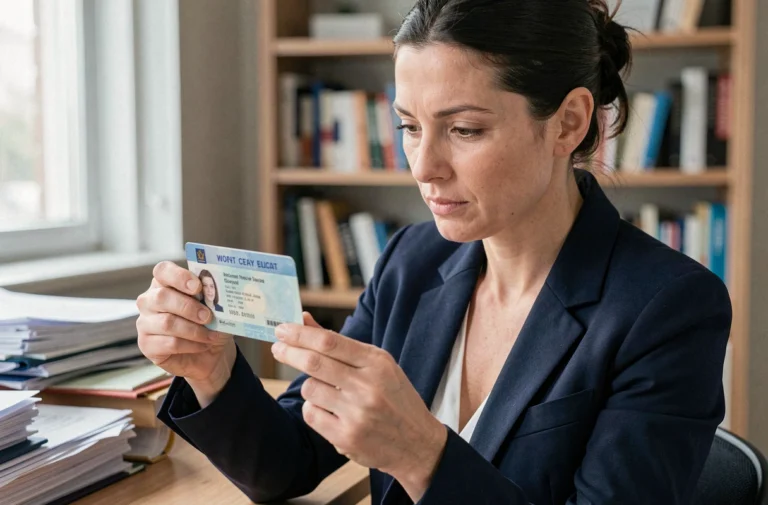
You are trying to log into your online member area and the page refuses to load, or you can no longer find your username. This type of blockage occurs on most platforms, whether it’s a bank account, a professional association, or a community service. Understanding how the login and account management mechanism works can help avoid these situations and keep control over your personal data.
Username and password: the errors that block the connection
The majority of login failures to a client area stem from three simple causes. The first: a typo in the username. On some platforms, the username is an account number (like at Nickel, where it consists of ten digits). On others, it is an email address. Confusing the two formats is enough to block access.
The second cause concerns the password. After several failed attempts, most services temporarily lock the account. This lockout protects against intrusion attempts, but it also traps legitimate users who are testing several combinations from memory.
If you are looking for a detailed guide to recover your access on a classifieds platform, the Wannonce member area login illustrates these mechanisms well with concrete steps.
The third cause, less obvious: the browser auto-filling an old password. You changed your password two months ago, but your browser automatically injects the old one. Always check the field before clicking “Log in.” On mobile, the app may also retain an expired session that causes an error without a clear message.

Enhanced authentication on your online account: passkeys and biometrics
You may have noticed that you are increasingly asked for a code received via SMS after entering your password? This is two-step verification. It adds a layer of protection, but it also complicates the login when you change your phone number or when the SMS is delayed.
Since 2024, several financial institutions and public organizations are going further. They are adopting passwordless authentication, called passkeys. The principle: your device (phone or computer) generates a cryptographic key linked to your fingerprint or facial recognition. You no longer have to remember or type a password.
Passkeys: how it works in practice
Let’s take an example. You open your bank’s mobile app. Instead of a “password” field, the screen displays a fingerprint request. Your phone verifies your identity locally, then sends an encrypted confirmation to the server. No password travels over the network, which reduces the risk of data theft.
Google already offers this system in managing its account. Online banks like Boursorama or the National Bank of Canada are gradually integrating it into their client areas. To benefit from it, you generally need to activate the option in the account security settings, then register your device.
Managing personal information in your member area
Logging in is just the first step. Daily account management raises other questions. What personal information is stored? How to modify it? What happens if you do not update your email address?
An outdated email in your profile can permanently exclude you from your account. If you lose your password and the reset link goes to an email address you no longer use, recovery becomes very complicated. Some services then require identity verification by postal mail or in person.
Points to regularly check in your account
- The primary email address: it should correspond to a mailbox that you actively check, as it is the recovery channel for the password and security notifications
- The mobile phone number: essential for two-step verification, it must be updated with each change of operator or number
- Authorized third-party connections: on platforms like Google, you may have granted access to applications you no longer use, which increases the entry points to your data
- Connected devices: the list of devices that have access to your account helps identify an open session on an old phone or a public computer
Google allows you to manage these third-party connections directly from the account settings by revoking access from unused applications. This feature is also available at most online banks, in the “security” or “trusted devices” section of the client area.

Security differences between banks, public organizations, and association sites
Not all member areas are equal in terms of protection. Financial institutions apply strict standards: encryption of exchanges, automatic disconnection after a few minutes of inactivity, detailed history of transactions and balance accessible online.
Association or community sites often offer a more basic level of security. A member area on a CMS like e-monsite, for example, does not necessarily offer two-factor authentication. The password remains the only barrier between a visitor and your data.
Public organizations fall somewhere in between. The drone management portal of Transport Canada, for example, requires thorough identity verification upon registration, but the ongoing account management remains comparable to a standard online service.
Adjusting your level of vigilance to the type of account
- For a bank account or client area linked to your card and transactions: always enable two-step verification and use a unique password, never reused elsewhere
- For an association member area: check if the platform offers HTTPS (lock icon in the address bar) and avoid storing sensitive documents there
- For a public organization portal: prefer the official mobile app when it exists, as it generally includes additional protections compared to the web browser
Managing an online account relies on two concrete reflexes: keeping your contact information up to date and adjusting the level of security to the type of data stored. A strong password on a community site protects your identity. Biometrics on your banking app protect your budget. Both deserve distinct attention, calibrated to what you have to lose.